Membership Enhancements
Parks & Rec > Memberships
The following enhancements have been applied to the Memberships module:
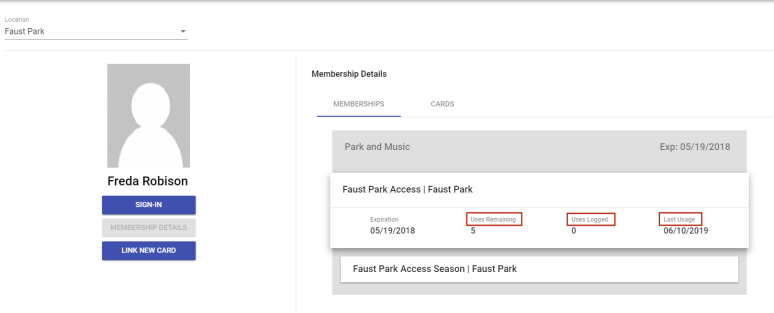
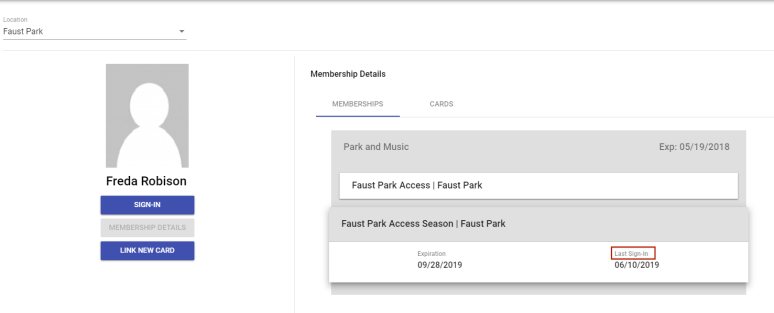
 Membership Details Column Titles
Parks and Rec > Memberships Sign-In > Location > Contact > SIGN IN > MEMBERSHIP DETAILS
Column titles in the Membership Details section within Membership Sign-In have been updated for usage-based and unlimited location access.
 Sign-In Settings
Administration > System Setup > System Settings
A new Sign-In Settings section in System Settings lets you set up the Membership Sign-In page to track non-membership sign-ins, class attendance and activities.

Membership, Class, Activity Selection at Sign-In
Parks & Rec > Memberships > Sign-In > Location > Contact > Sign-In
If Allow Sign-In Without Membership, Allow Class Attendance Tracking, or Allow Tracking Activities is enabled in the Sign-In Settings section of System Settings, a new Membership Sign-In page displays, allowing the user to select the memberships, classes or activities for which a contact is visiting a location:
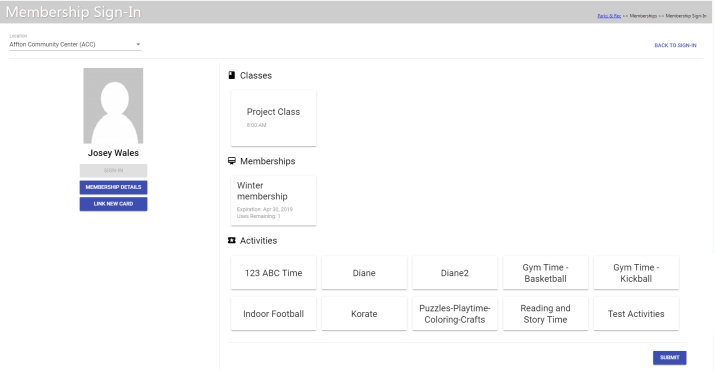
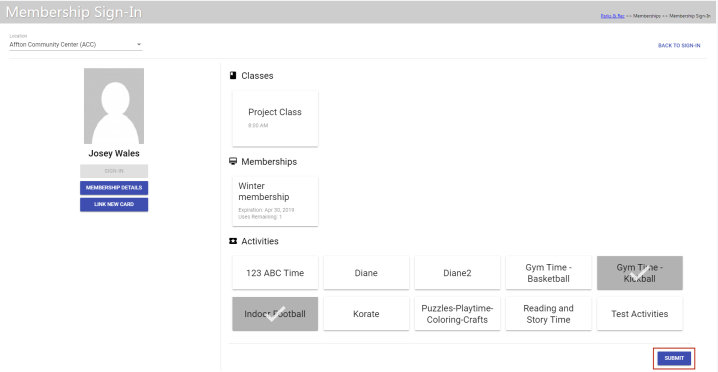
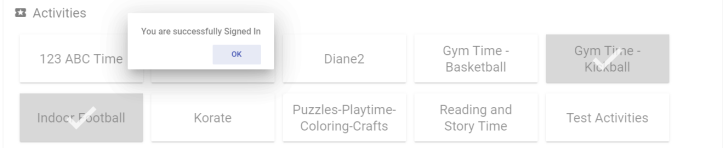
Memberships, classes and activities appear on individual cards. Select the appropriate cards, and click SUBMIT:
A message displays to confirm the sign-in:
Activities
Administration > Parks & Rec. Setup > Activities
An Activities option has been added to the Parks & Rec. Setup section of the Administration tab:
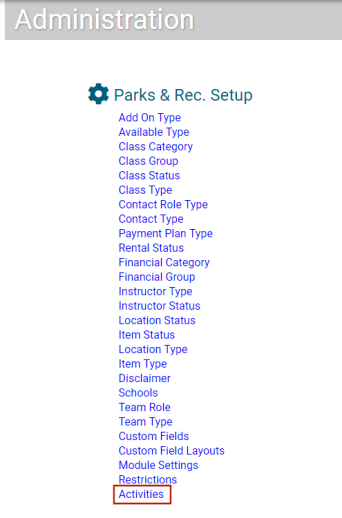
Selecting this option opens a new Activities page, where you may create activities and, in turn, associate them with locations:
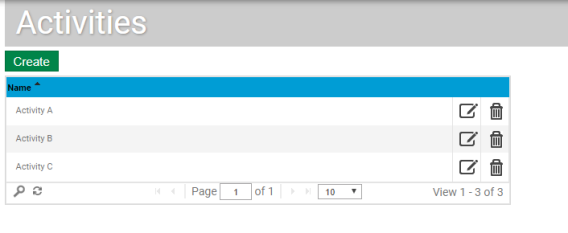
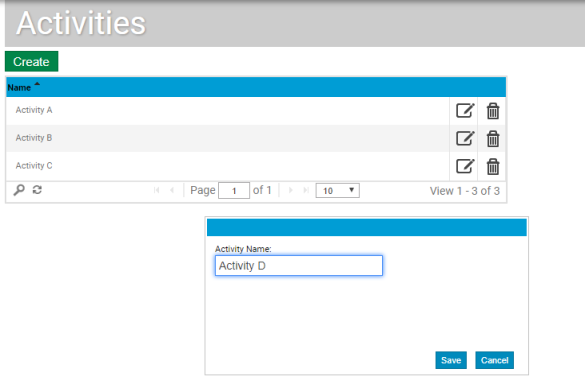
Click the Create button to add an activity, the edit icon to edit one. In either instance, a dialog opens, containing a field for the Activity Name:
To associate one or more activities with a location, navigate to the Location Details page (Parks & Rec > Location > Search > Create/Edit), and scroll to the new Activities section:
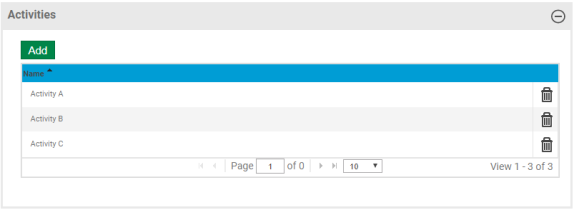
Click the Add button. In the Add dialog that opens, select the activity or activities and click the Add Selected button:
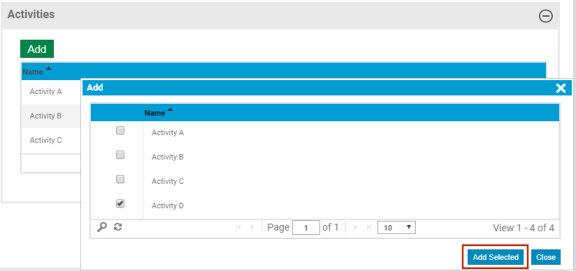
Note: Once an activity has been associated with one or more locations, it cannot be deleted from the Activities page in Administration until it has been deleted from the location(s).